Workbench
reviewdistill ui serves the app at http://127.0.0.1:8765 (--host, --port to change that).
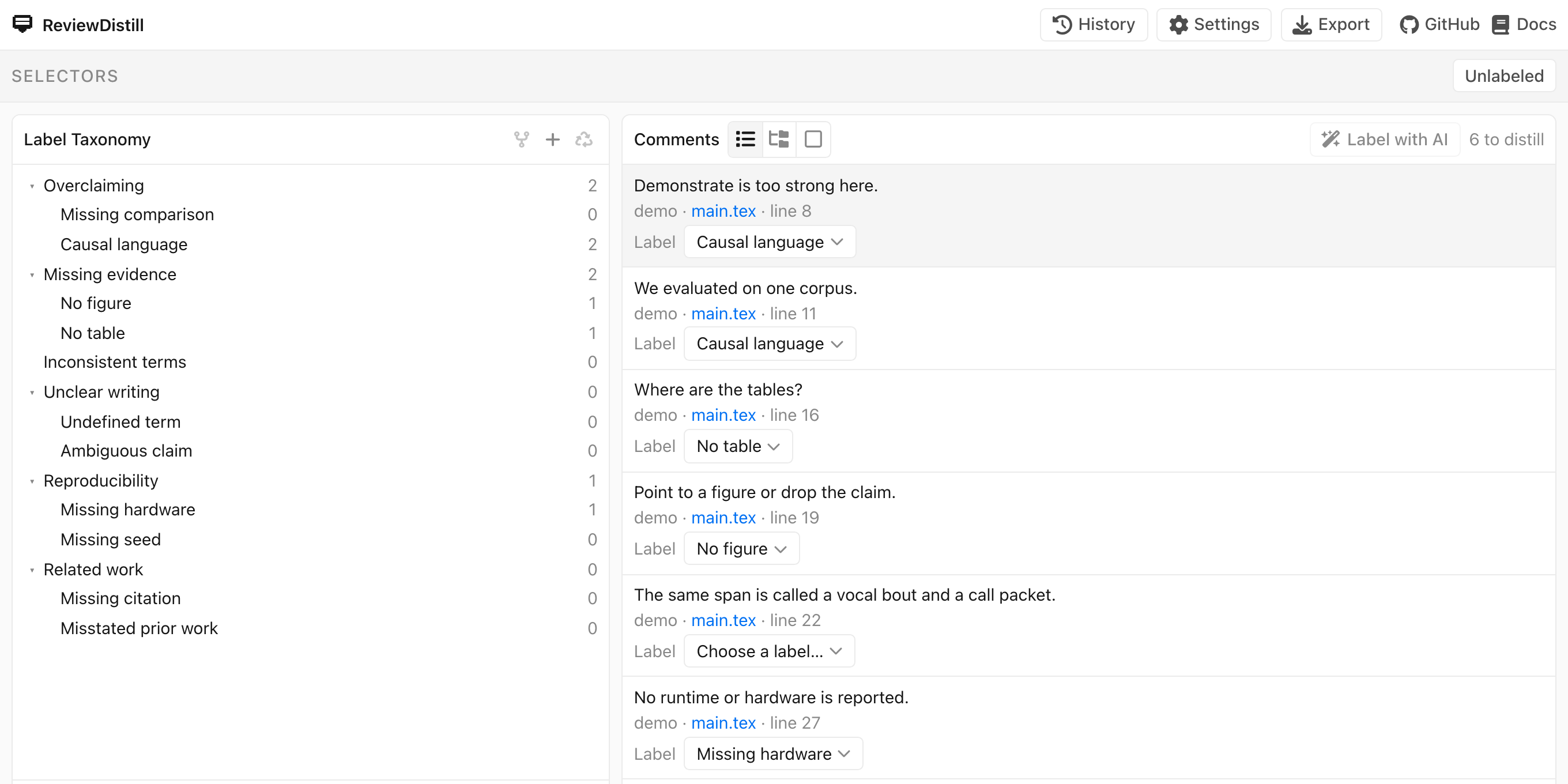
Selectors are chips at the top (AND). With no chips, Comments shows remarks that still need a label or Verify. The Unlabeled control adds the inbox chip (no label yet, plus remarks that left the manuscript and are not verified).
Label Taxonomy is the tree. Click a name to select it. Header + adds a root. Hover + on a leaf adds a child. Fork (header when the tree is empty, or on a leaf with enough labeled comments) asks the assistant to make more specific labels. Recycle parks leftover unlabeled comments on ungrouped so you can fork that node. Drag to reorder, nest, or merge.
Comments can be a list, a tree (by project and file), or one (inspector plus pager). Click a row to select it. Assign from the row Label menu or by dragging onto a leaf. j / k move in tree order when the tree is showing.
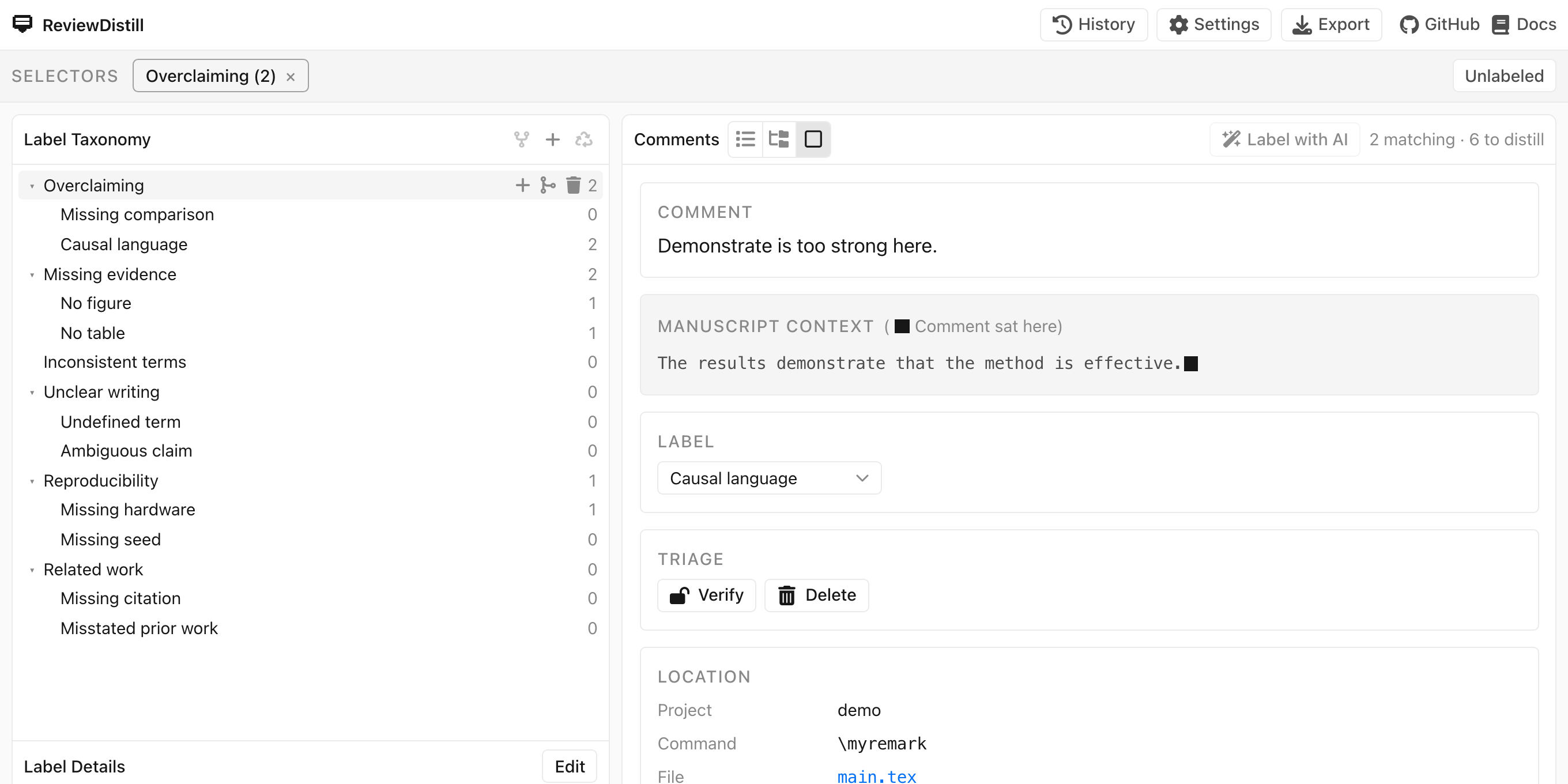
The inspector shows the remark, the manuscript neighborhood (a square marks the insertion point), location, and Verify / Delete. File selects the .tex in the file manager when the checkout is still on this computer.
Label with AI runs on unlabeled comments across every paper in the data folder. History and Settings are header chips; they do not leave this screen. Export is Export a skill.