Queue And Screening
Screening is built around review boxes. Queued holds discoveries before they enter the active corpus, Inbox holds papers ready for decisions, and Included, Deferred, and Excluded preserve the review outcome.

Queued discoveries can be received into Inbox; active papers then move through Included, Deferred, or Excluded while history records the decision.
Queued Discoveries
Queued papers are not authoritative built-in box members. Their authoritative state lives in .citetraverse/data/delivery-queue.json, and boxes/queued.bib is a review/edit mirror.
Use Queued when you want to keep discovery separate from active screening. You can receive selected queued papers, discard selected queued papers, or receive/discard the full queue from the queued box header.
Inbox Screening
Inbox papers are ready for active review. Move them to:
Includedwhen they belong in the corpus.Deferredwhen they need later review.Excludedwhen they are out of scope.
Screening actions are available from the paper row and the detail pane. Batch actions appear when multiple rows are selected.
Keyboard And Selection
Use ArrowDown and ArrowUp in the paper table to move focus. Hold Shift to extend the selection contiguously. Use Command-click on macOS or Alt-click on Windows/Linux to toggle individual rows.
The paper-list toolbar is the selection summary surface. It keeps the active count visible while batch actions stay focused on the target decision.
Figure: Table Screening
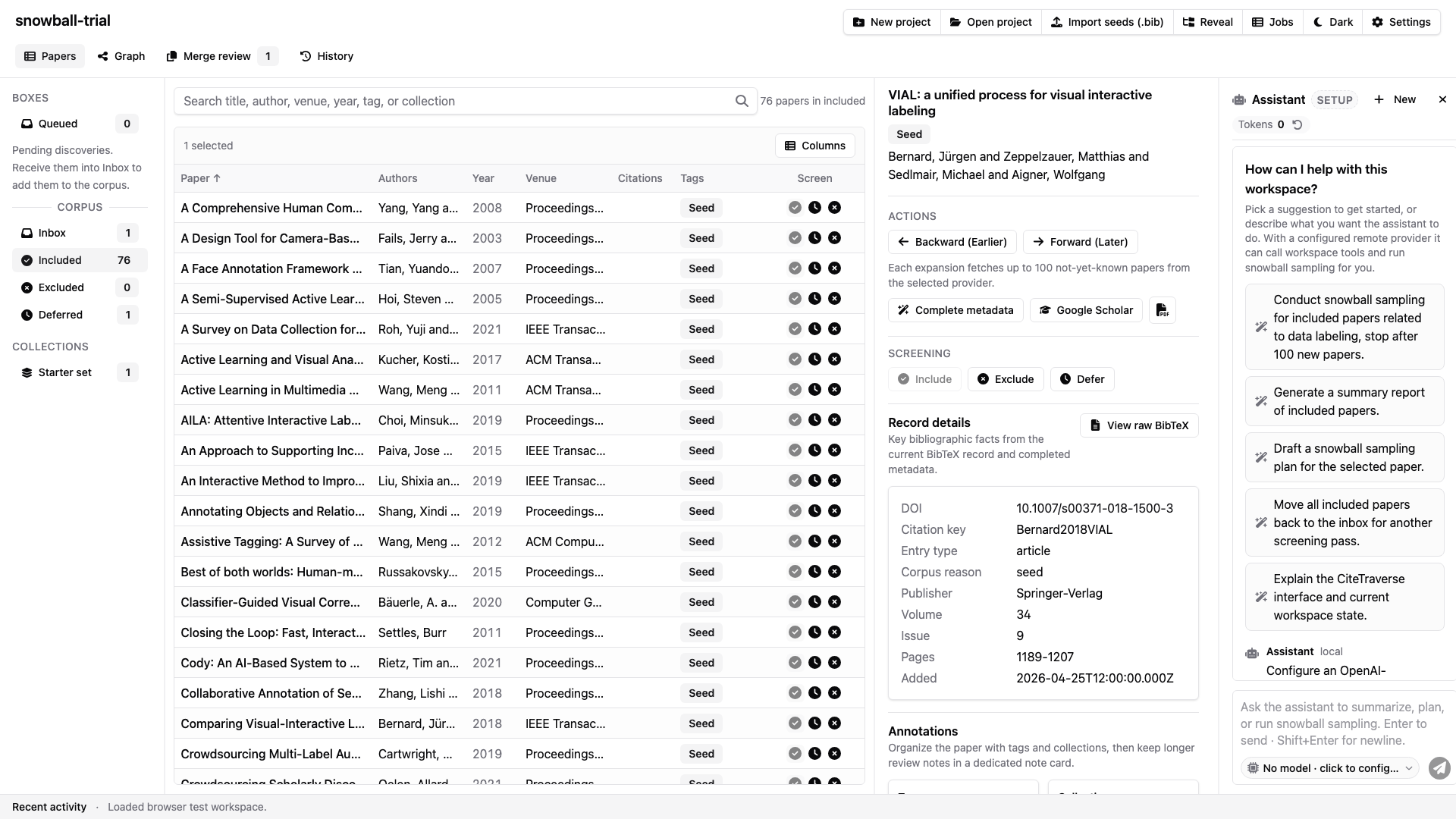
The paper table, box sidebar, detail pane, and assistant stay visible in the shared workspace while screening decisions are made.