Workspace Surfaces
The shared workspace keeps screening, detail inspection, graph exploration, jobs, history, and assistant help in one shell. Desktop, browser, and VS Code hosts use the same workspace app behind host-specific runtime adapters.
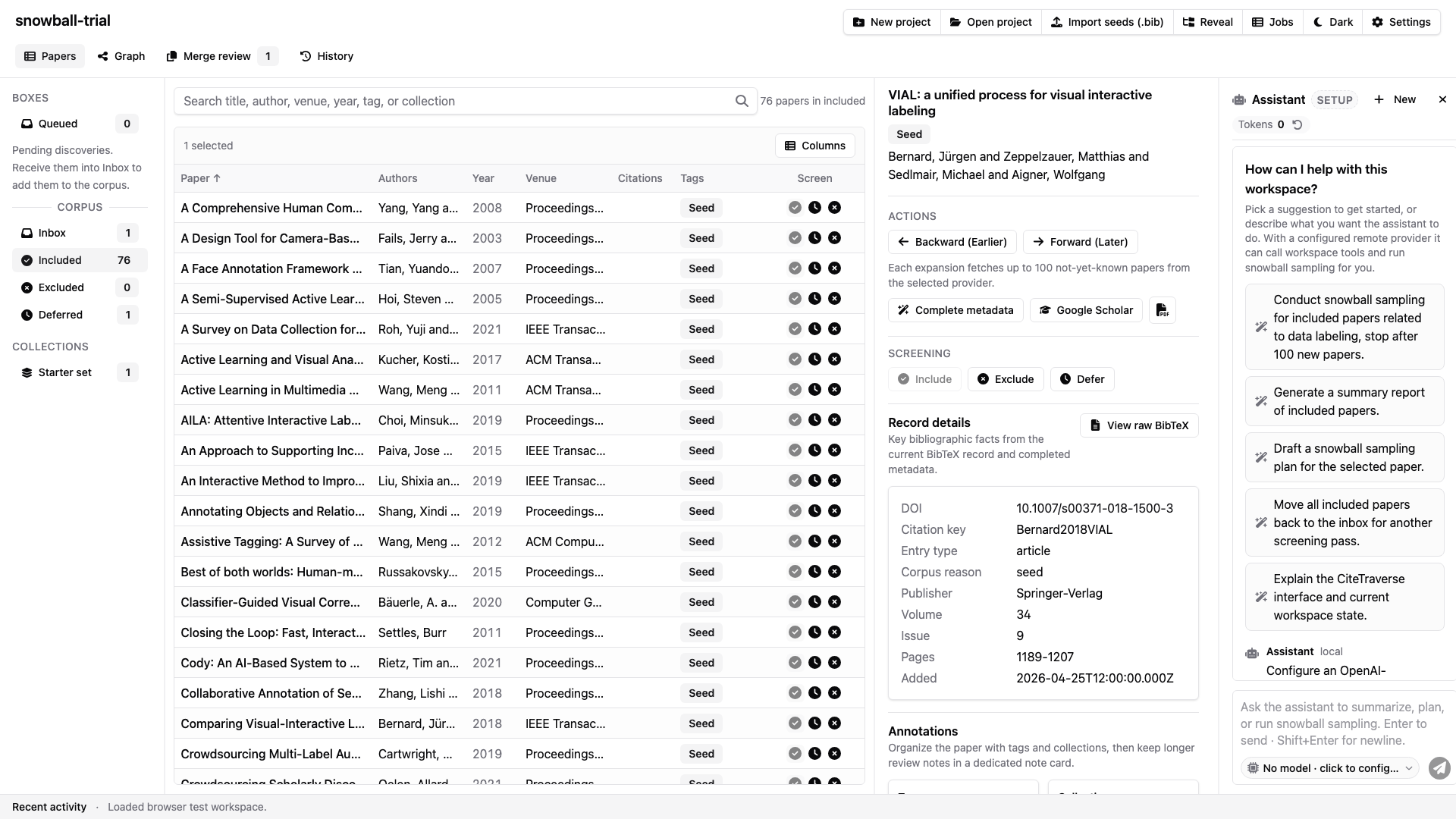
The workspace combines navigation, paper table, detail pane, status bar, and assistant side panel in one resizable shell.
Paper Table
The paper table is the high-throughput screening surface. It supports sortable headers, a virtualized row body, configurable secondary columns, column resizing, bulk selection, tags, seed badges, citation counts, and row-level screening actions.
The title column always remains visible, and the screening column cannot be hidden. Secondary metadata columns can be toggled from the column menu.
Detail Pane
The detail pane shows the selected paper's title, authors, year, DOI, URL, metadata completion status, coverage metrics, neighbor counts, notes, tags, collections, raw BibTeX, and actions. Desktop projects can open local PDFs when a paper has an attached path.
Queued papers render as read-only previews until they are received into Inbox.
Graph View
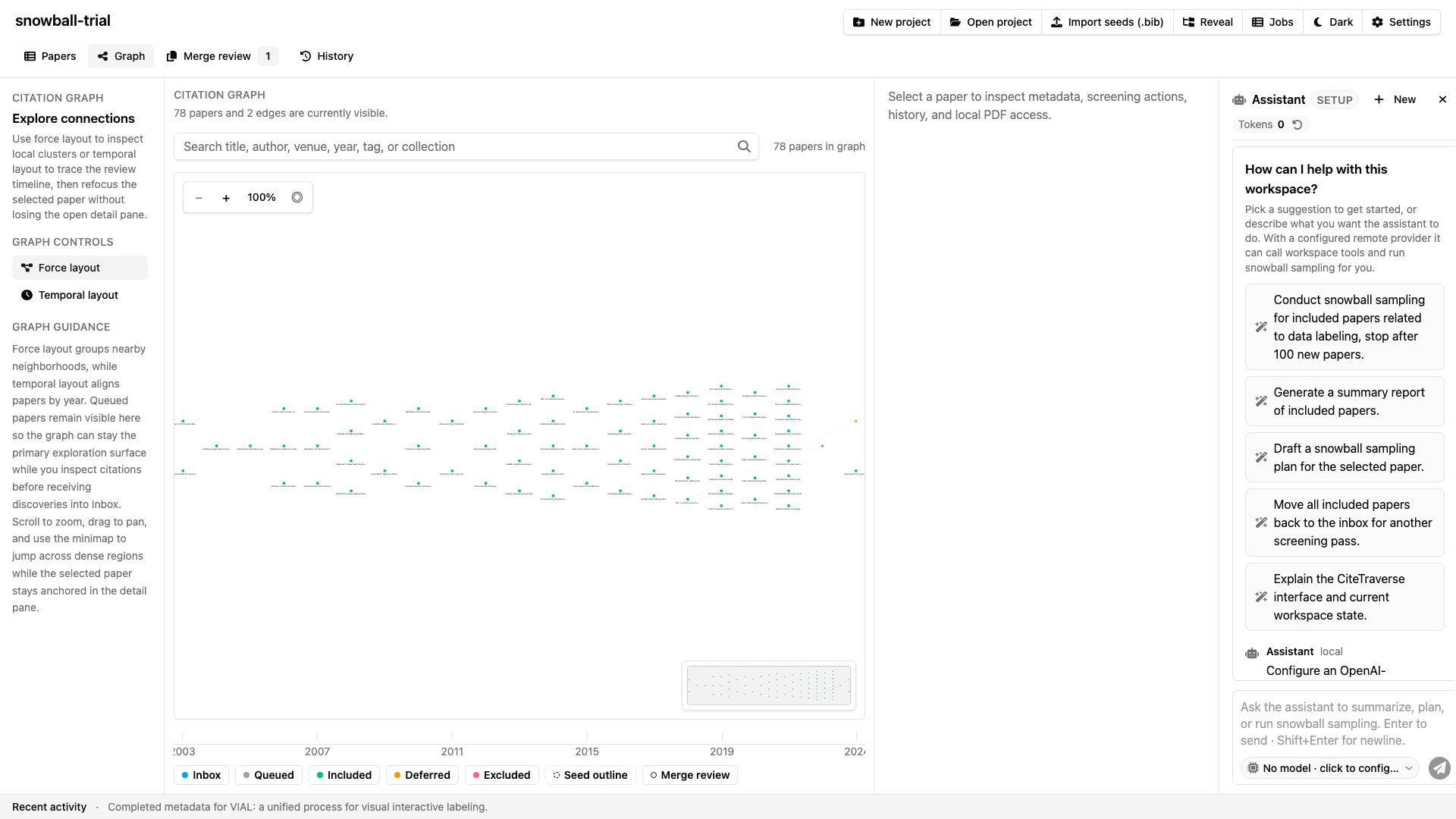
The graph view shows citation relationships and a temporal layout while staying synchronized with paper selection.
The graph renders corpus papers and queued discoveries together so discovery can remain graph-first before queued papers enter the active corpus. The temporal axis reflows under zoom by recomputing visible ticks from the active viewport.
Shell, Settings, And Zoom
Laptop and desktop widths use the horizontal shell layout. The workspace switches to stacked detail and assistant panes only at the mobile breakpoint.
Users can show or hide the status bar and assistant side bar from Workspace Settings. The status bar includes the workspace zoom indicator. Ctrl/Cmd + + zooms in, Ctrl/Cmd + - zooms out, and Ctrl/Cmd + 0 resets to 100%; shortcuts are ignored inside editable controls.